A set of functions to display the available color palettes (see plotCols) and to load a color palette into your global environment (see getCols).
Load Functions into Global Environment
source("https://lauralogozzo.github.io/assets/myCols.R.txt")
Documentation
Function to display the available color palettes, and their names:
plotCols(
  group = ""
)
| group | "categorical" or "ramp" specifies the available color palettes in that type to display. Defaults to "", which displays both types of color palettes. |
Function to pull the desired color palette by name:
getCols(
  x = NULL
  num = length(eval(parse(text=x)))
)
| x | The color palette name to pull. See plotCols() for available palettes. |
| num | The number of colors to pull from the desired palette. Defaults to the entire palette. |
Examples
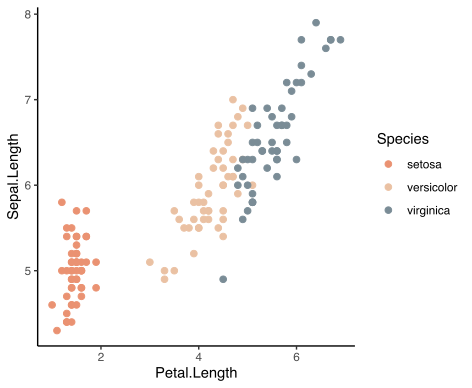
An example of a palette for categorical data in ggplot:
# Load ggplot
library('ggplot2')

# Creates a global environment object named 'myCols' that contains the chosen palette
myCols <- getCols("nausicaa")

# Get iris data
data(iris)

# Ggplot example
ggplot(data=iris, aes(Petal.Length,Sepal.Length, color = Species)) +
  geom_point(size = 2)+
  scale_color_manual(values = myCols) +
  theme_classic()
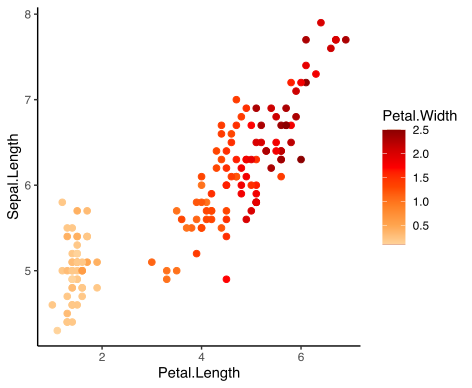
 An example of a gradient palette for continuous data in ggplot:
# Load ggplot
library('ggplot2')

# Get color palette
myCols <- getCols("sunset")

# Plot continuous scale
ggplot(data=iris, aes(Petal.Length,Sepal.Length, color = Petal.Width)) +
  geom_point(size = 2) +
  scale_color_gradientn(colors = rev(myCols)) +
  theme_classic()